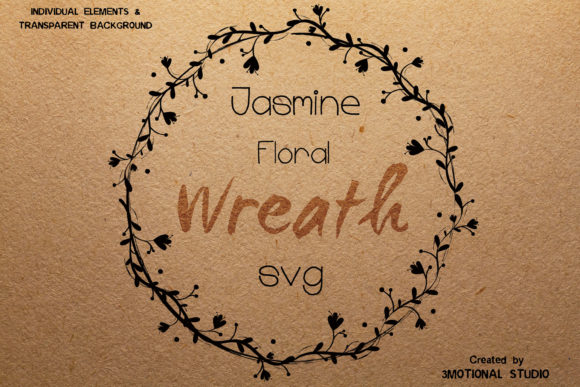
Evaluating the Jasmine Floral Wreath for Digital Design and Stationery Projects
Selecting the right botanical element for a design project often requires balancing aesthetic appeal with technical versatility. The Jasmine Floral Wreath represents a specific niche within digital assets, combining the softness of traditional florals with the structural integrity of vector graphics. For designers, crafters, and event planners, understanding the distinct characteristics of this asset is essential before integrating it into workflows ranging from wedding stationery to DIY branding. Unlike generic clip art, a high-quality jasmine wreath offers specific visual cues associated with elegance, purity, and natural growth, making it a deliberate choice rather than a default placeholder.
Defining the Aesthetic and Functional Distinctions
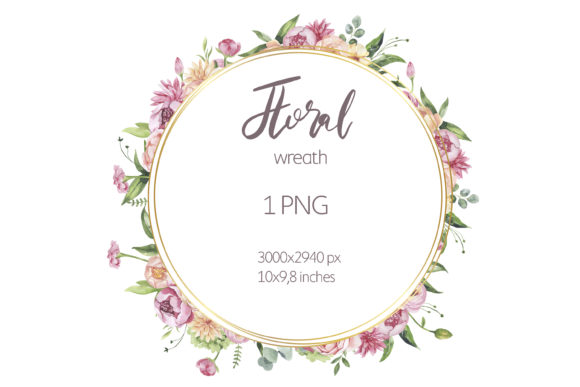
The primary distinction of a Jasmine Floral Wreath lies in its botanical accuracy paired with stylized adaptability. While many floral vectors prioritize bold colors or abstract shapes, jasmine designs typically focus on line work, negative space, and organic flow. This makes the asset particularly effective for projects requiring a "dreamy" or ethereal quality without sacrificing professional polish. The circular composition provides a natural frame for typography, logos, or photography, creating an immediate focal point that guides the viewer’s eye inward.
Functionally, the value of this specific wreath format is determined by its file ecosystem. A comprehensive digital package usually includes multiple formats to address different user needs. The inclusion of a 4500x4500 pixel PNG at 300 DPI ensures that raster-based applications, such as photo editing software or print-on-demand services, receive crisp imagery suitable for physical output. Conversely, vector formats like SVG, DXF, EPS, and AI files cater to users who require scalability and editability. This multi-format approach distinguishes premium botanical assets from basic stock images, as it acknowledges that modern creators often work across both digital and physical mediums simultaneously.
Vector Editability Versus Static Raster Graphics
When comparing botanical resources, the decision often comes down to static raster files versus editable vectors. A standard JPEG or PNG jasmine wreath is sufficient for simple overlay tasks where the color and size remain constant. However, for branding or custom stationery, these limitations can become obstacles. If a wedding palette shifts from sage green to dusty blue, a raster file requires complex masking and recoloring that often degrades image quality.
In contrast, the vector versions (SVG, EPS, DXF, AI) included in comprehensive jasmine wreath packages allow for non-destructive editing within Adobe Illustrator or compatible alternatives. Users can isolate individual branches, adjust stroke weights, or completely recolor the foliage to match specific Pantone shades without pixelation. This level of control is critical for logo creation, where the wreath must integrate seamlessly with existing brand identity systems. The tradeoff is a steeper learning curve; utilizing AI or EPS files requires vector software proficiency, whereas PNGs are universally accessible. Evaluators must assess whether their current skill set and software access justify the flexibility of vector formats or if a high-resolution raster file suffices for the immediate project scope.
Comparing Botanical Styles: Jasmine vs. Alternative Foliage
Choosing a Jasmine Floral Wreath over other botanical options involves considering the emotional tone and visual weight of the design. Eucalyptus wreaths, for example, offer a more structured, symmetrical appearance often associated with modern minimalism. Wildflower arrangements tend to be dense and colorful, evoking a rustic or bohemian vibe. Jasmine occupies a middle ground; it is delicate yet resilient, romantic but not overly ornate.
For elegant wedding stationery, jasmine often outperforms heavier florals because its open structure allows background textures or paper grains to show through, maintaining a sense of lightness. In logo design, the finer lines of jasmine scale down better than thick-petaled roses or peonies, which can lose definition at small sizes like business cards or social media avatars. However, if a project demands bold visibility from a distance, such as large-scale signage or packaging, the subtlety of jasmine might be lost. In those instances, designers might need to pair the jasmine wreath with bolder typographic elements or choose a denser botanical alternative. Understanding these stylistic tradeoffs prevents mismatched expectations between the asset and the final application.
Technical Specifications and Print Readiness
Digital assets must meet rigorous technical standards to translate effectively from screen to print. The specification of 12x12 inches at 300 DPI (4500x4500 pixels) is a significant benchmark for quality. Many online resources offer 72 DPI web-optimized images that appear sharp on monitors but produce blurry or pixelated prints. For scrapbooking, invitation suites, or branded merchandise, 300 DPI is the industry minimum for professional results.
Furthermore, the availability of legacy-compatible files, such as Adobe Illustrator 10, addresses a common friction point in collaborative environments. Not all clients or printers use the latest Creative Cloud subscriptions. Providing backward-compatible AI files alongside modern CC versions ensures that the Jasmine Floral Wreath remains accessible regardless of the recipient's software version. When evaluating digital downloads, users should verify these specifications explicitly. An asset lacking transparent backgrounds or adequate resolution may seem cost-effective initially but often incurs hidden costs in time spent fixing errors or purchasing replacement graphics later.
Best-Fit Scenarios and Practical Applications
The versatility of the Jasmine Floral Wreath makes it suitable for several specific use cases, though it is not a universal solution. Identifying the right fit helps maximize return on investment for digital assets.
- Wedding Stationery: Ideal for save-the-dates, menu cards, and table numbers where a cohesive, romantic theme is required. The vector format allows matching the wreath color exactly to bridesmaid dresses or venue decor.
- DIY Branding: Effective for beauty salons, florists, yoga studios, or artisanal food brands seeking a natural, organic identity. The circular shape works exceptionally well as a container for profile pictures or central logotypes.
- Scrapbooking and Journaling: The high-resolution PNG serves as a standalone embellishment for digital layouts, while the SVG can be cut using machines like Cricut or Silhouette for physical paper crafts.
- Product Packaging: Suitable for labels on candles, soaps, or cosmetics where the design needs to convey natural ingredients without overwhelming regulatory text.
Conversely, this asset may be less appropriate for corporate tech branding, children’s party themes requiring bright primary colors, or industrial design contexts where geometric precision outweighs organic aesthetics. Recognizing these boundaries ensures the jasmine wreath enhances rather than distracts from the core message.
Navigating File Formats for Different Workflows
Understanding which file to use when is as important as the design itself. Each format in the bundle serves a distinct purpose in the production pipeline.
- PNG (Transparent Background): Use this for quick mockups, Canva designs, Microsoft Word documents, or any platform that does not support vector editing. The transparency allows placement over colored backgrounds without white boxes.
- SVG: The standard for web graphics, responsive design, and consumer cutting machines. It maintains crisp edges at any zoom level and typically has a smaller file size than high-res rasters.
- DXF: Specifically optimized for CNC machines, laser cutters, and certain vinyl cutter software that struggles with SVG paths. Essential for physical fabrication rather than digital printing.
- EPS: The universal vector exchange format. Best for sending to professional print shops or collaborating with designers using non-Adobe vector software like CorelDRAW or Affinity Designer.
- AI (CC and v10): The native source files for deep editing. Use these when you need to rearrange flowers, change individual leaf colors, or combine the wreath with other vector elements in a master design file.
- PDF: Useful for high-quality printing directly from a viewer or for sharing a proof with clients who need to see the vector quality without having design software installed.
Making an Informed Selection Decision
Ultimately, the decision to utilize a Jasmine Floral Wreath should stem from a clear alignment between project requirements and asset capabilities. Buyers should evaluate their need for customization against their technical capacity. If full color control and resizing are non-negotiable, prioritizing packages with verified vector files is mandatory. If the goal is simple decoration for personal use, the PNG component may be the only relevant factor.
Additionally, users must remember that this is a digital-only product. There is no physical shipment, which eliminates shipping delays but places the responsibility of file management and printing entirely on the user. Verifying software compatibility before purchase—specifically ensuring access to Adobe Illustrator for AI/EPS editing or appropriate cutting software for DXF/SVG usage—prevents post-purchase frustration. By approaching the selection process with a focus on technical specs, aesthetic fit, and workflow integration, creators can effectively leverage botanical assets to elevate their projects with confidence and precision.